
Registration
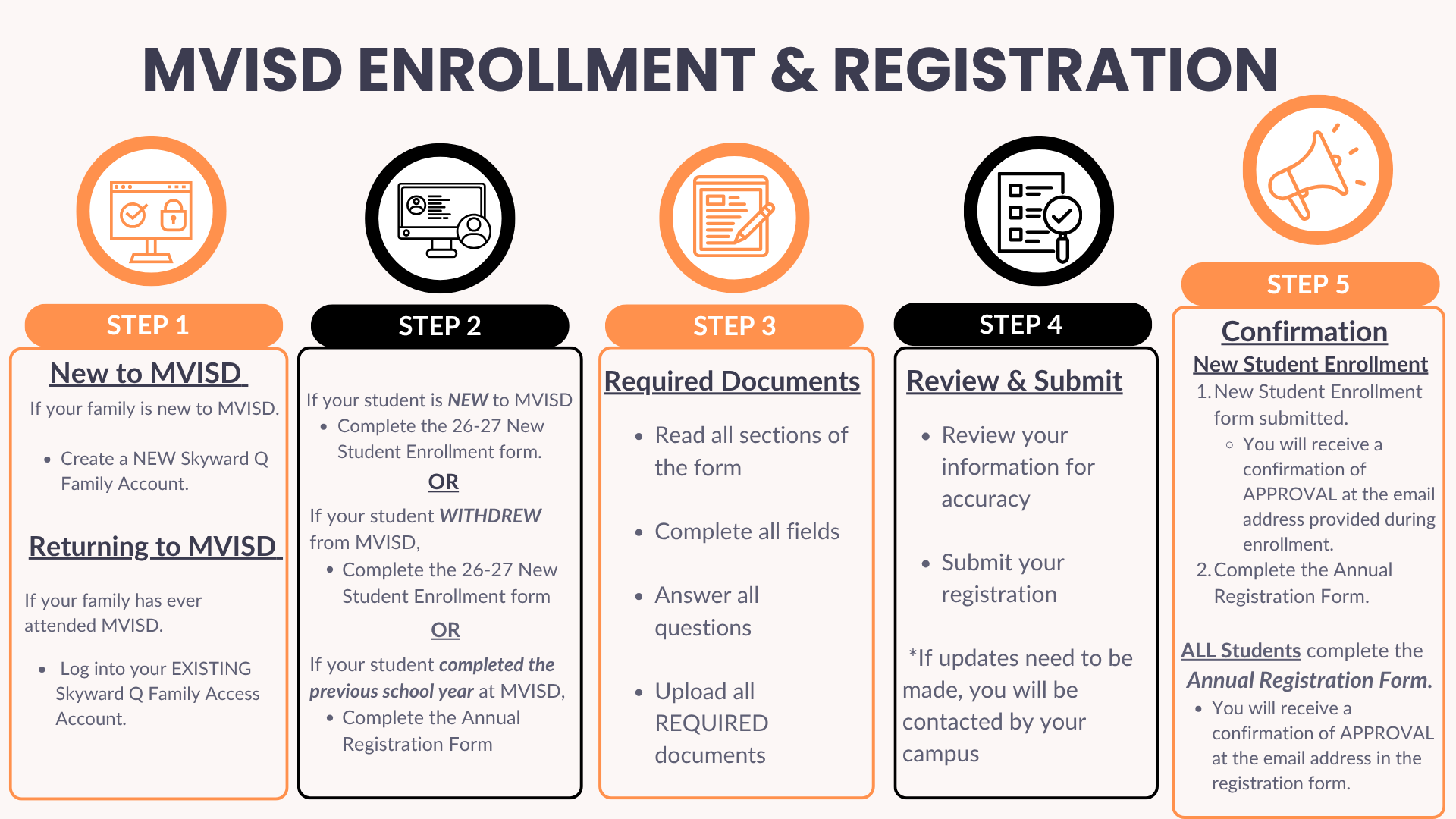
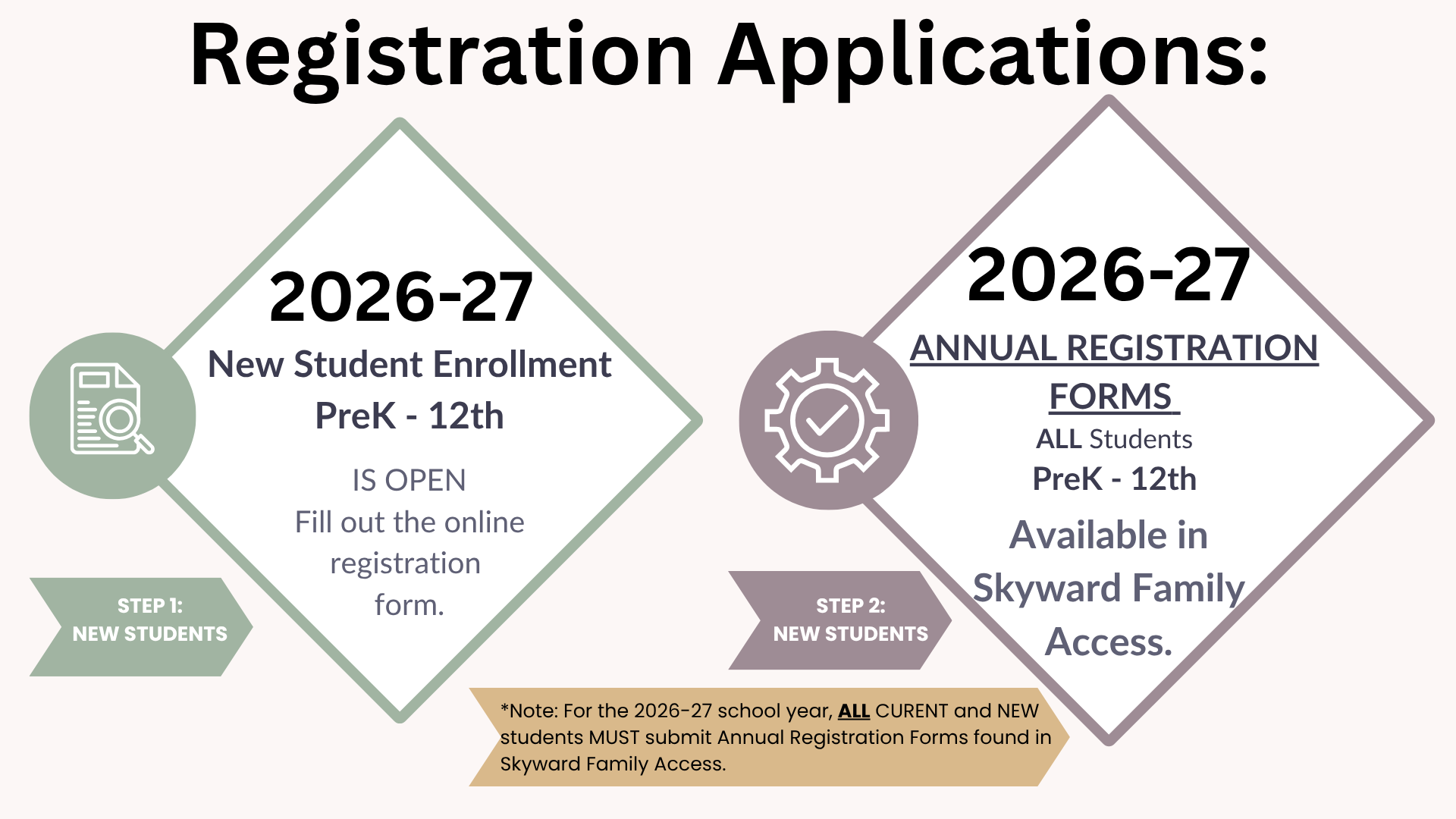
ENROLLMENT & REGISTRATION INFORMATION
- UPLOADING ALL DOCUMENTS REQUESTED ON THE ONLINE APPLICATION WILL EXPEDITE YOUR ENROLLMENT PROCESS.
- STUDENTS ARE NOT OFFICIALLY ENROLLED UNTIL YOU RECEIVE A CONFIRMATION (APPROVAL) EMAIL AT THE ADDRESS PROVIDED DURING ONLINE ENROLLMENT.
- You may need to reset your Family Access Portal password.
- Do not create a new account.
- If you are not able to reset your password using the "Forgot your Username of Password?" link , contact your campus registrar as they will need to re-activate your account.
- Once active, log into Family Access to fill out the New Student Enrollment forms.
__________________________________________________________________________________
ANNUAL REGISTRATION FORM STEPS

LIST OF REQUIRED DOCUMENTS
- Child's original birth certificate
- Child's social security card
- Child's up-to-date immunization records
- Proof of Residence - must clearly show the physical/service address and the name of the parent or legal guardian:
-
- a full-page utility bill from either the current or previous month. (Final Notice or Disconnections are not accepted.)
- Electricity Bill
- Water Bill
- Gas bill
- a new lease or new rental contract (full document; signed within the last 30 days)
- a current lease or current rental contract that states utilities are included in the rent or paid through the landlord. (full document)
- a closing disclosure for a new home purchase (full document; signed within the last 30 days.) *Pre-closing documents are not accepted.*
- a full-page utility bill from either the current or previous month. (Final Notice or Disconnections are not accepted.)
-
- Parent/Guardian's Driver's License
- High School students - prior year report card or transcript
- Special Education Records
- 504 Records
- Legal Documents
This form MUST be completed and notarized at the campus. One AOR per family.
Requirement:
-
Both the custodial parent and the homeowner/renter must be present at the campus to sign the Affidavit of Residence.
-
Both must bring a valid driver's license and the required proof of residency to your campus appointment.
Your registration will NOT be processed without either a valid Proof of Residence or an MVISD Affidavit of Residence (AOR).
If you are in need of completing an Affidavit of Resicency (AOR) follow these steps.
*Note - One AOR per family:
- Make an appointment with your child's campus using the calendar QRCodes below.
- If your campus is not listed with a QRCode, you can choose another campus to complete your AOR.
- Attend the appointment, both the parent/guardian and resident must be present.
- Bring valid Driver's Licenses and current Utility Bill.
- Fill out the AOR.
- Once completed the AOR will be notarized by MVISD staff.
TRANSCRIPT & RECORDS REQUEST INFORMATION
**It is against FERPA to email ANY student records**
TRANSCRIPTS
- Current MVHS students - You may request a transcript for free through your counselor.
- Former MVHS students - Click the Transcripts & Records Request link at the top left of this page to utilize Scribbles our Records Request platform.
RECORDS REQUESTS
- Texas TEA School - Utilize TREx for all record requests & incoming records (163908).
- Out of Country Students - We do not have a secure method to request records from schools outside of the continental U.S. If you are joining us from out of the country, please bring your student's official transcript from his/her previous school.
- Student Records Requests - Click the Transcripts & Records Request link at the top left of this page to utilize Scribbles our Records Request platform.
Applies to:
- Current Medina Valley Students/Family
- Former Medina Valley Students/Family
- Employer, University, Government Agency
STUDENT UID SEARCH
- A TEA Unique Identifier (UID) is a 10-digit number assigned to every student and staff member in the Texas public education system to track records across schools, typically found on STAAR results, through a public school district (ISD). Parents can look up their child's UID using their Social Security number on the TEA Student Lookup tool.
High demand during semester transitions and holiday breaks may cause processing delays. Please plan ahead to ensure your transcript arrives on time.
Effective August 1, 2023 transcripts will be available for purchase only for all former student orders.
_______________________________________________________________________________
UPDATING EMERGENCY CONTACTS and ParentSquare
Updating Your Family Information:
- Family 1 and Family 2 can update their own Parent/Guardian phone number and email address at any time.
- Under your child's name, click the "Student Profile" tile.
- Click the pencil icon to edit your information.
- Emergency contacts can be viewed, but are not editable through this tile.
Updating Your Emergency Contacts:
- Family 1 can add, revise, or remove emergency contact information.
- Family 2 can view emergency contact information.
- Under your child’s name, click the “Update Emergency Contact Information” tile.
Step by step instructions can be viewed by clicking the link below:
Updating Parent/Guardian and Emergency Contact Information
ParentSquare is linked to the email address provided for the parents/guardians in Family 1 and Family 2.