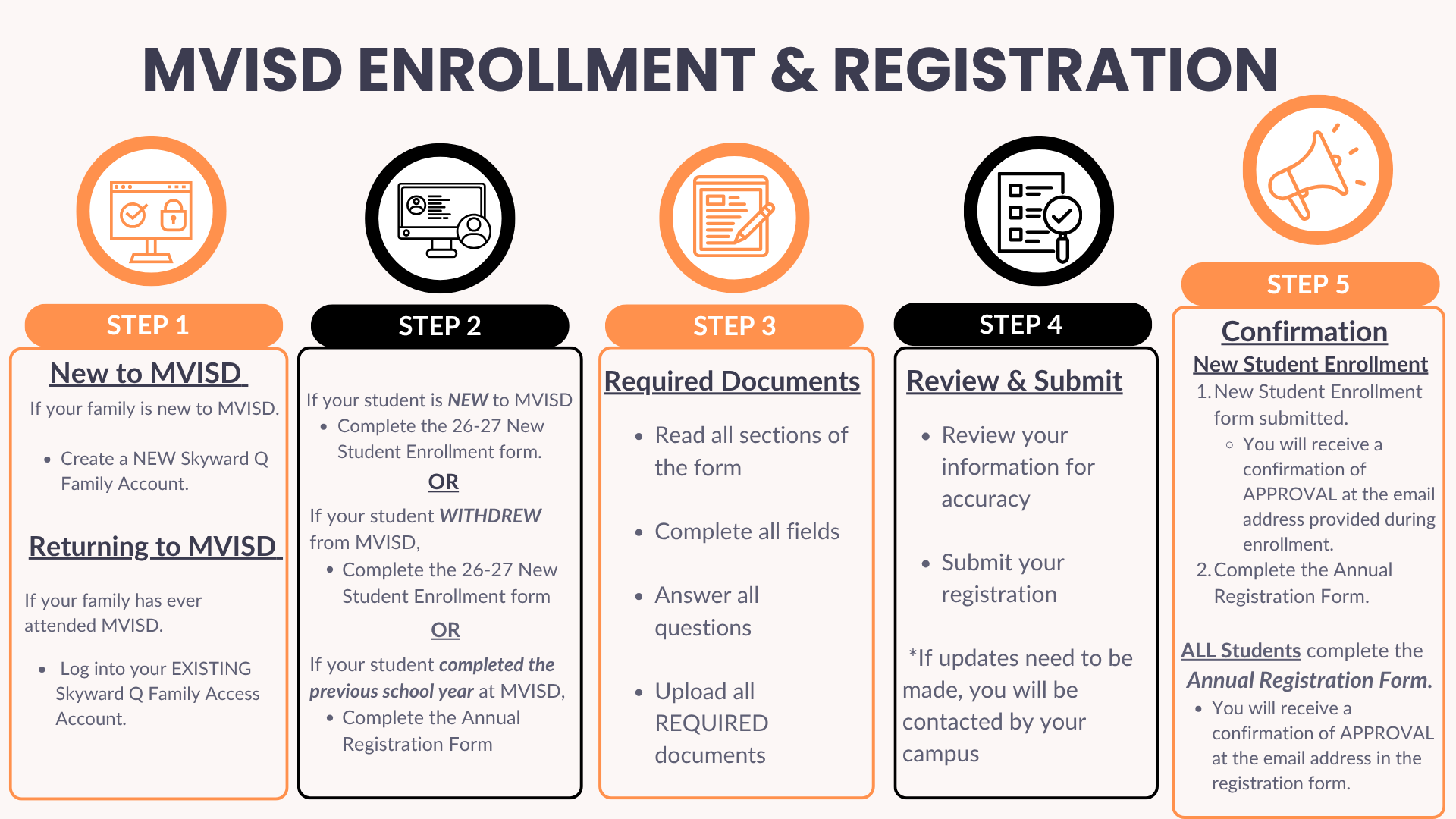
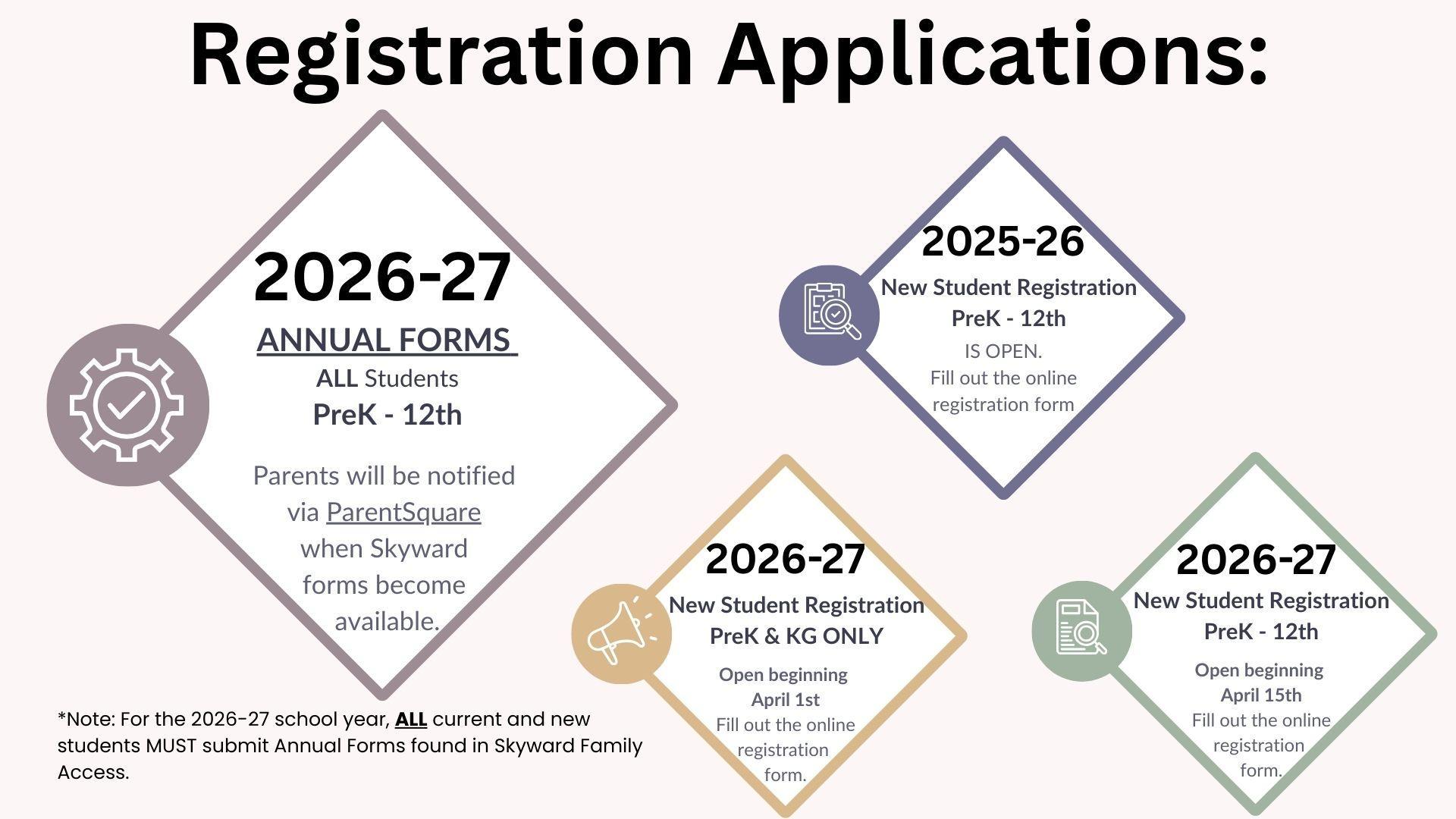
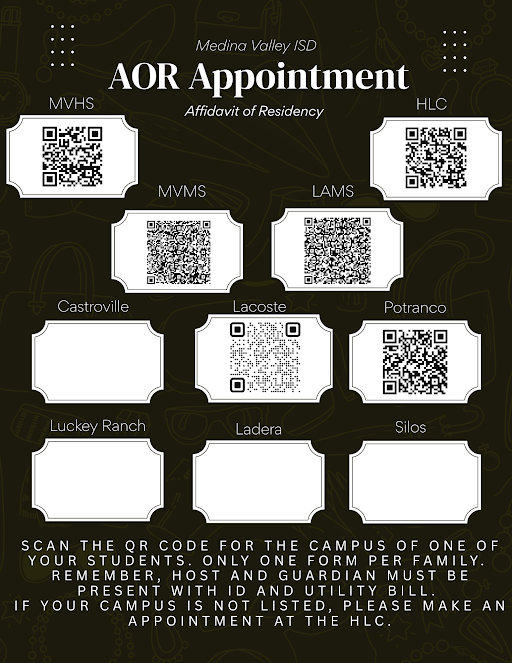
Enroll online and upload required documents to your enrollment application. Parents/guardians will use our student information system, Skyward Q, to fill out enrollment information for any student who is new to the district. During this process, you are able to upload required documents.
**UPLOADING ALL DOCUMENTS REQUESTED ON THE ONLINE APPLICATION WILL EXPEDITE YOUR ENROLLMENT PROCESS.
**STUDENTS ARE NOT OFFICIALLY ENROLLED UNTIL YOU RECEIVE A CONFIRMATION (APPROVAL) EMAIL AT THE ADDRESS PROVIDED DURING ONLINE ENROLLMENT.
**Enrollment reviews typically take one to two business days to complete.
New to MVISD: [Create a new Skyward Q Account]
Families that have never had any students enrolled at MVISD.
Current MVISD Family: [Have an existing Skyward Q Account]
Families that currently have a student or students enrolled at MVISD and are enrolling a new child.
Log in to your existing Family Access, use the drop down arrow located by the house icon to navigate to "New Student Enrollment".
Previously Enrolled at MVISD Family (inactive student returning to MVISD) [Have an existing Skyward Q Account]:
For students that have previously withdrawn from MVISD and are re-enrolling, you will need to use the Family Access Portal.
- You may need to reset your Family Access Portal password.
- Do not create a new account.
- If you are not able to reset your password using the "Forgot your Username of Password?" link , contact your campus registrar as they will need to re-activate your account.
- Once active, log into Family Access to fill out the New Student Enrollment forms.
__________________________________________________________________________________